
How to take student attendance?
Use OneSchoolBus to mark student attendance and send it to your bus operator in a few simple steps.
Last updated 10 June 2026
How to Take Student Attendance
Learn how to efficiently take student attendance using OneSchoolBus, which will be automatically sent to your bus operator.
Bus Operators, please assist your drivers/attendants with these instructions.
Step 1: Select Bus Route
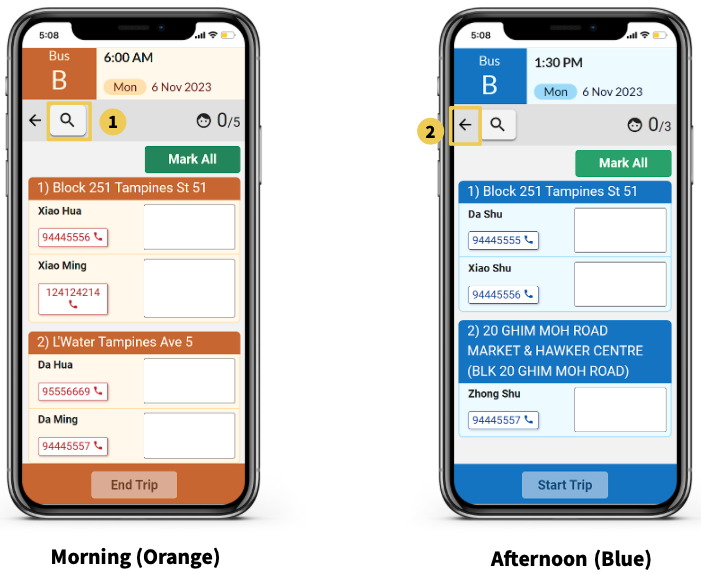
After choosing your bus route, it will show up as the MORNING (orange) or AFTERNOON (blue) bus route for which you want to take attendance.
Click on the 🔍 icon to search for student names on the selected bus route.
Click on the ← Back arrow to return to the homepage.
Step 2: Mark Student Attendance
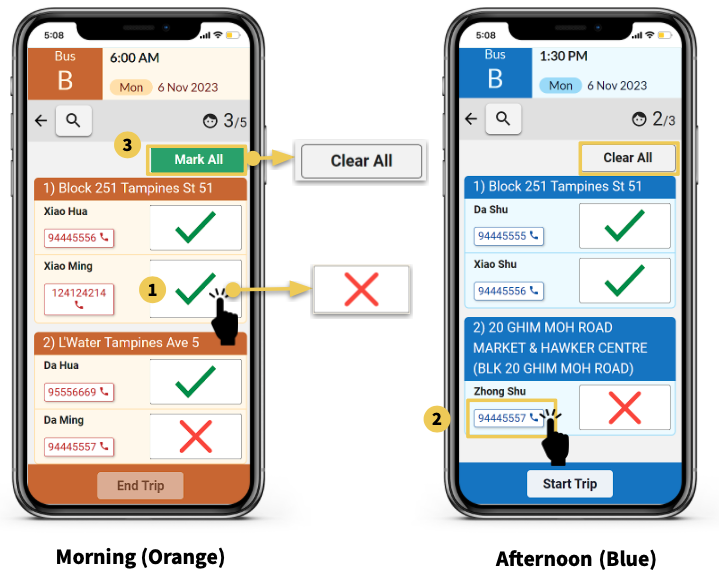
Individually mark a student as “Present” (✔️) or “Absent” (❌) by tapping the white box next to their names.
To call a student’s parent/guardian, tap on the phone number (📞) next to their name, which will open your phone app with the number.
Opt for Mark all to mark all students as present (✔️) and to tap Clear All to uncheck all students who are marked as present (✔️).
Step 3: End/Start Trip
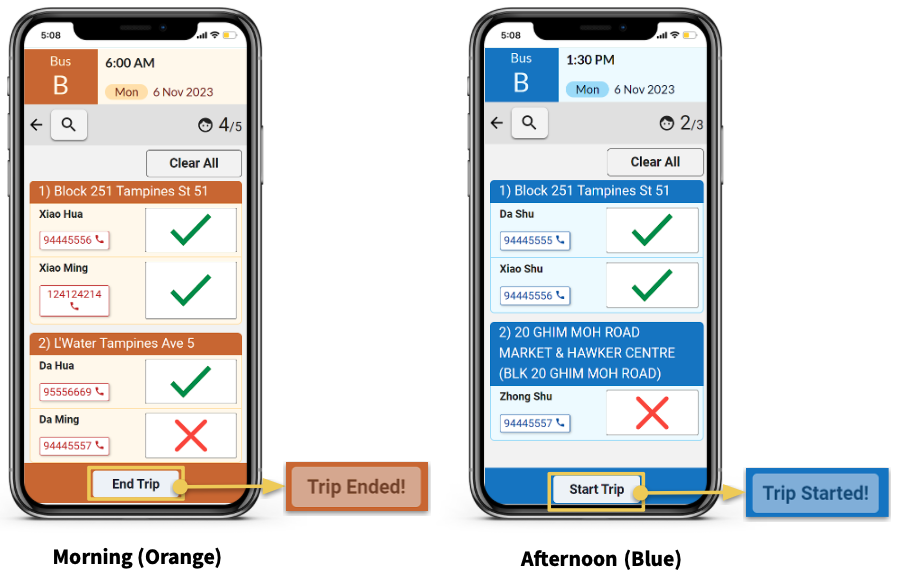
After taking attendance, press either the End Trip or Start Trip button at the bottom of the screen to notify the bus operator of attendance completion.