
Accessing Attendance Reports
Find out how to view and download student attendance reports from One School Bus, submitted by your bus drivers.
Last updated 10 June 2026
Accessing Attendance Reports
On this page, you will learn how to view the attendance input by your bus drivers within One School Bus.
Attendance Reports
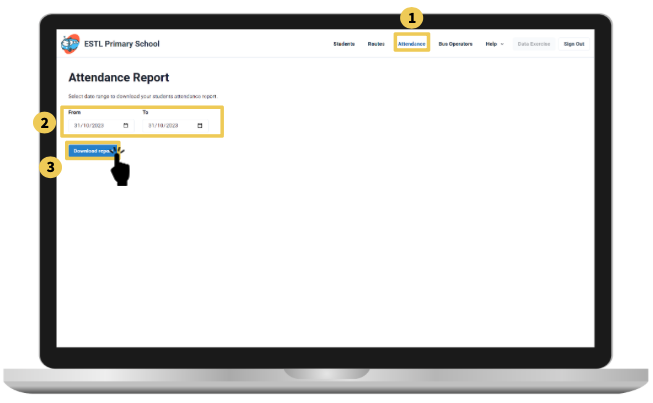
Click on "Attendance" to access the attendance report page.
Select the date range of the attendance report you would like to acquire.
Click on the "Download Report" button; it will download an excel report showing the attendance of the students within all the bus routes.
Note: If there are attendance records shown, it would mean that the bus operator did not use OSB to take attendance via the driver portal.