
Managing Routes
View and manage all bus operator routes in One School Bus, including student details and stop addresses.
Last updated 10 June 2026
Managing Routes
On this page, you will learn how to view all the routes input by your bus operators within One School Bus.
Route Page
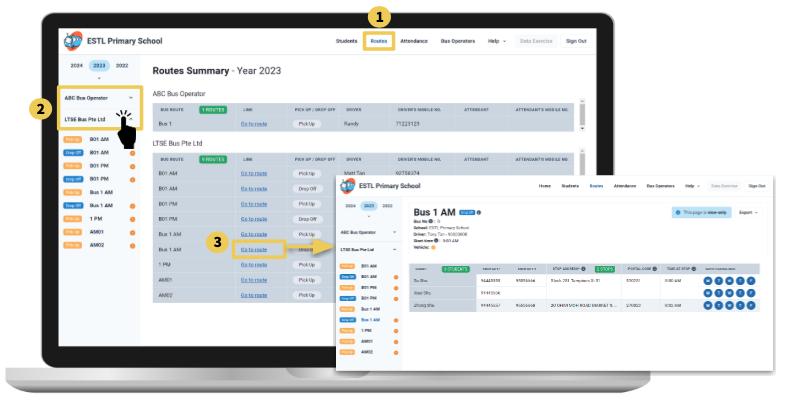
Click on the "Routes" to access the Route page.
Select the bus operator, and the routes under the bus operator will appear.
By clicking on the "Go to route" on the route summary page, it will bring you to the routes page indicating all the student information and stop addresses.
Note: If there are no routes shown, it would mean that the bus operator has not input any information yet.