
Accessing Attendance Reports
Find out how to download attendance reports for your students by date range, school, or bus route.
Last updated 10 June 2026
Accessing Attendance Reports
Learn how to download attendance reports with ease.
Accessing and Downloading Attendance Reports
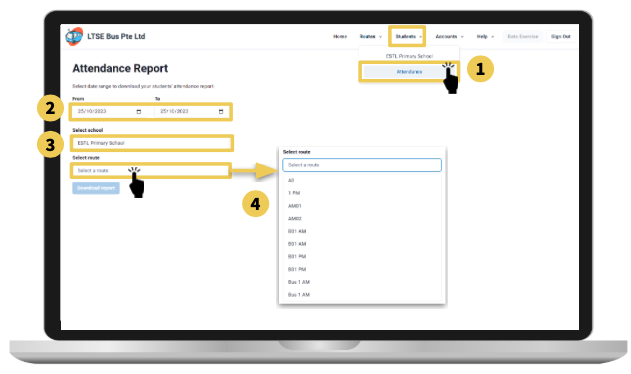
From the top navigation menu,
Select Students, then Attendance.
Select the date range you wish to view the attendance. Default set to today.
Select the school you wish to download.
Select All for a full attendance report, or select a specific bus route to download the attendance report.