
Getting Started for Bus Operators
Log in to OneSchoolBus using your phone number and OTP, then set up your bus routes and student data via manual entry or Excel upload.
Last updated 10 June 2026
Getting Started for Bus Operators
Congratulations for coming onboard OneSchoolBus!
Logging in
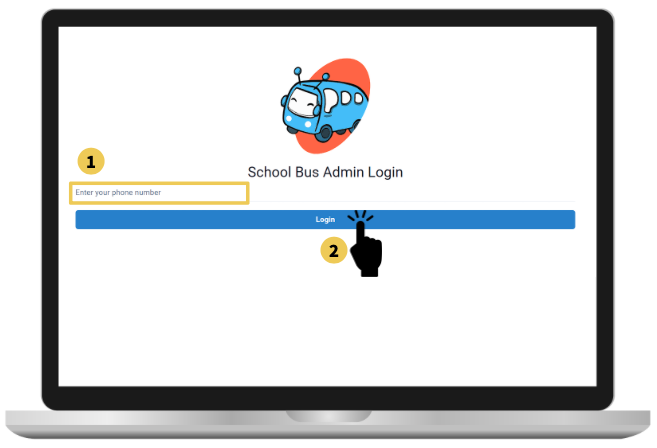
Enter your phone number. For foreign mobile numbers, add the country code in front, e.g., +60.
Press Login.
If it says "Invalid phone number," inquire with your School AM to check if your phone number is among the bus coordinators serving your school. Bus coordinators in your company will be able to give you access.
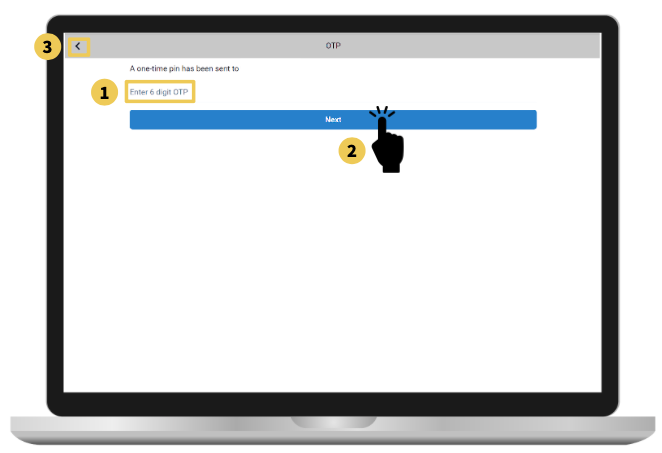
You should receive an SMS with your six-digit One-Time Pin (OTP) within the next few minutes. Enter the OTP.
Press Next.
If you don't receive an SMS after 3 minutes, press the Back arrow button (<) on your browser and try again.
You're in! The first page you see is the Bus Routes page. If there are no bus routes, you will see a diagram to guide you on how to get started.
Let's Get Started
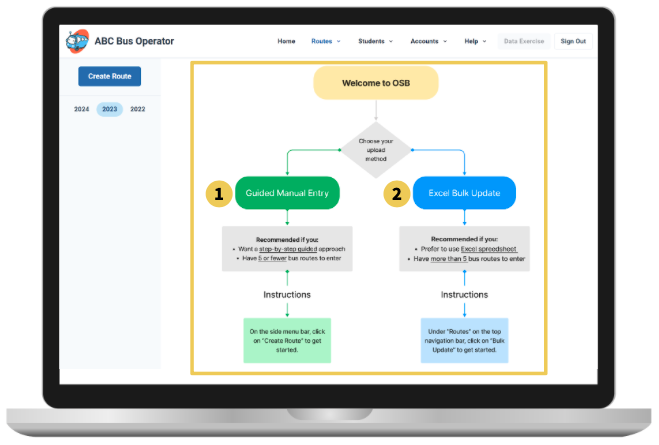
There are two ways to input data into OSB. You may use the above diagram after you log in to guide you on which data entry method to use.
Guided Manual Entry: Manually enter bus routes and student data into the OSB.
Excel Bulk Update: Copy-paste bus route and student data into an Excel sheet to be uploaded.